Detailed Description of the current Version
 Descriptions of the GeoDLL Function Groups
 User Manual with all Function Descriptions User Manual searching for expressions List of Coordinate and Reference Systems Download of the supported NTv2 / HARN grid files Programming example
Group Prices GeoDLL
User Manual with all Function Descriptions User Manual searching for expressions List of Coordinate and Reference Systems Download of the supported NTv2 / HARN grid files Programming example
Group Prices GeoDLL
 Click here to Click here for the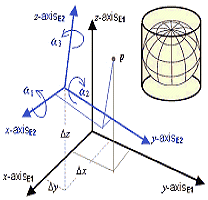
 History of Modifications and Enhancements
The history file contains a detailed version history with all modifications, enhancements and additions of the actual software.
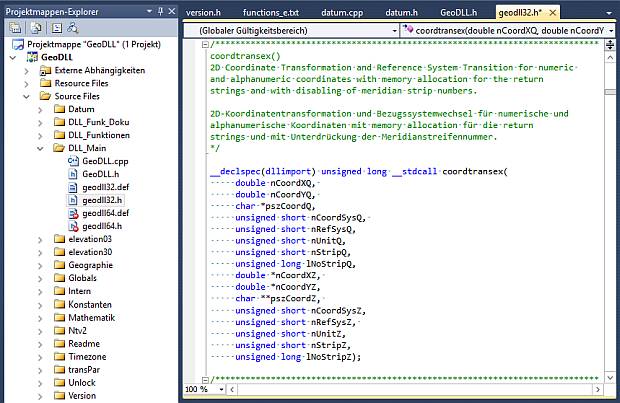
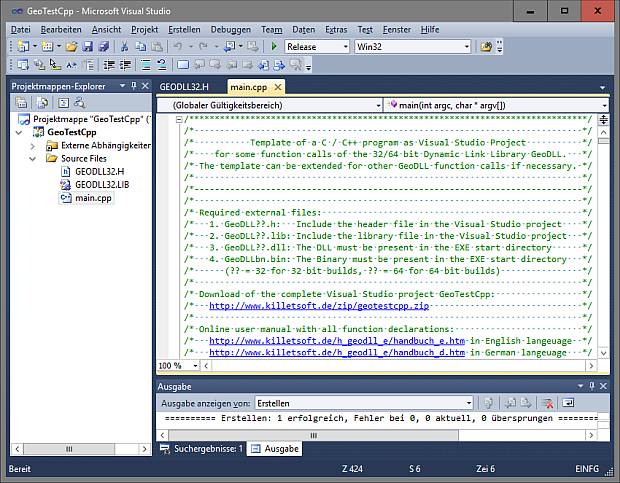
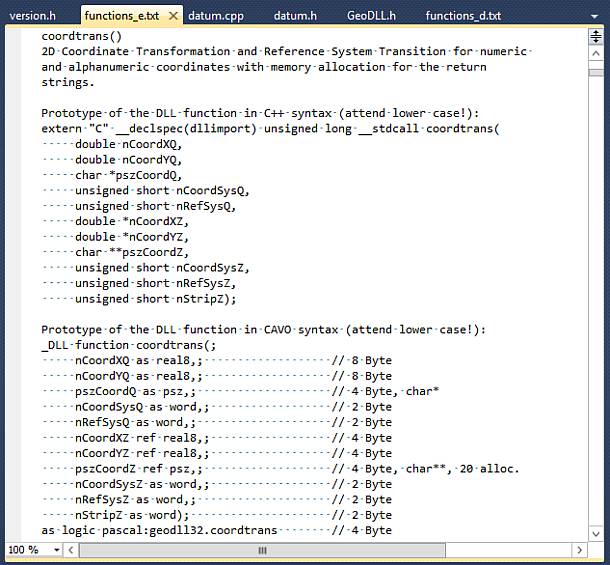
The Geodetic Development Kit GeoDLL is an easy to use function library which is designed particular for GIS professionals and software developers. GeoDLL allows developers to embed thousands of preadjusted, precise coordinate transformations and geodetic datum shifts and custom best fit transformation parameters into their individual geoinformatics software. GeoDLL supports datum shifts with Seven Helmert Parameters and Three Molodensky Parameters and with NTv2 and HARN grid shifts. GeoDLL contains many geomatics tools for GIS development, such as creating Helmert and Molodensky parameters parameters and NTv2 grid files, tools for analyzing and manipulating NTv2 files, INSPIRE and EPSG support, digital elevation models, distance calculations and time zone determinations. GeoDLL has grown with many improvements over the years and it continuously benefits from user feedback. Thanks to the numerous improvement suggestions of the users the quality and the scope of functions of the Geodetic Development Kit increase constantly.
GeoDLL supports the development of geodetic software on various platforms by providing geodetic functions. The operating system WINDOWS provides software developers the opportunity to use prepared functions of third-parties in their own software applications. Thus, geodetic functions of GeoDLL can be linked to programs written in C, C++, C#, Java, Pascal, Delphi, MS-Access, Visual Basic, Visual Objects or which are written in other programming languages. To support the GeoDLL, examples and interfaces with source code for many commonly used programming languages are provided.
GeoDLL comes with extensive documentation and is supplied as DLL file for 32bit and 64bit architectures or as C / C++ source code. GeoDLL works with most programming languages and it can be used with Microsoft Office programs. GeoDLL is written in C / C ++ and is developed using Microsoft Visual Studio. Thus very fast performance, compact code and high stability are assured. The functions of GeoDLL are prepared for multithreading.
The most important application of GeoDLL is to include professional Coordinate Transformations in own programs. These Coordinate and Reference Systems are supported:
In some countries, here Germany as an example, the there available Coordinate Reference System are broken down in more groups:
You find a complete list of the supported Coordinate and Reference Systems on our internet site and after downloading (see above) the free test version as part of the documentation.
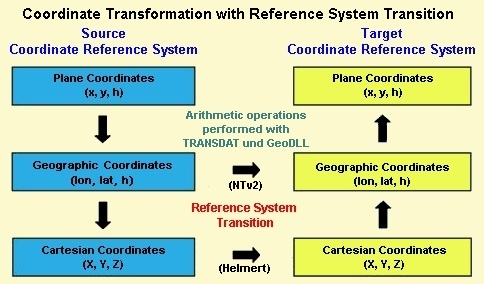
GeoDLL uses Coordinate Transformation formulas based upon EPSG specifications and publications by Schatz, Schuhr and Klotz and Hooijberg. Algorithms used for country-specific transformations are either published or made directly available by the Measurement Authorities of the respective countries or by similar respectable institutions. To achieve the highest precision only strong formula algorithms are used for calculations.
Coordinate Transformations without changing the geodetic Reference System have extremely high precision ranging within millimeters. A good example of geographic coordinates transformations between Gauß-Kruger and UTM Coordinate Systems made with GeoDLL are the results published by the North-Rhine Westphalia Land Survey Commission. It was confirmed that the differences were within the lower millimeter range.
For a statement about the accuracy were comparative calculations realized with a set of test data of the "Arbeitsgemeinschaft der Vermessungsverwaltungen der Länder der Bundesrepublik Deutschland" (ADV).
It was confirmed that the differences were less then 0,2 millimeter.
Please read the test report.
Another interesting test series for a quality check was conducted by the German network operator Westnetz GmbH with an extreme NTv2 file.
More than 4.3 million points were transformed with TRANSDATpro / GeoDLL and with a reference software from Gauß-Krüger/DHDN90 to UTM/ETRS89 and then compared.
There were only very rarely deviations of more than one millimeter.
These only affected coordinates that were outside the scope of the NTv2 file.
The test result and statements on the calculation speed can be found in our publication.
GeoDLL is written in the programming language C++ and developed on Microsoft Visual Studio. This results in extremely fast execution, compact code and high running stability. The functions of GeoDLL are multithreading ready and so it supports Multi Core processors.
The geodetic functions of the GeoDLL are encapsulated for specific tasks in function groups, which can be separately licensed and purchased.
On this web page all function groups are listed for selection as further links.
You can view the detailed descriptions of all GeoDLL functions in the Online User Manual.
Detailed description of all geodetic functions in an English and German language MS-help documentation and a runnable test version of GeoDLL are contained in the download file.
The characteristics of the various functional groups and the contained functions are listed under further links at the top of this site.
The operating system WINDOWS provides software developers the opportunity to use prepared functions of third-parties in their own software applications.
Thus, geodetic functions of GeoDLL can be linked to programs written in C, C++, C#, Java, Delphi, MS-Access, Visual Basic, Visual Objects or which are written in other programming languages.
To support the GeoDLL, examples and interfaces with source code for many commonly used programming languages are provided.
An example of using GeoDLL is the program TRANSDATpro that is available for download on the internet.
GeoDLL is delivered for WINDOWS operating systems with 32bit and 64bit architecture. Therefore, the DLL can be used with win32 applications on 32bit and 64bit WINDOWS operating systems and with x64 applications on 64bit WINDOWS operating systems.
It is frequently asked whether the geodetic functions are also available for other operating systems such as LINUX or UNIX.
Also some developers would not like to build in geodetic solutions without knowledge of the source code into their programs.
For these reasons, the complete GeoDLL can also be purchased as C++ source code.
The source is extensively written in ANSI-C++, so that the migration to other operating systems and hardware platforms is possible with manageable effort.
GeoDLL has been developed with Microsoft Visual Studio under the operating system WINDOWS.
All source codes of GeoDLL are directly compilable and executable under WINDOWS with Microsoft Visual Studio, Versions 10 to 15.
For the conversion to other platforms or other development environments adjustments in the source code may be necessary.
All the Coordinate and Reference Systems, supported by GeoDLL, sorted on continents and countries with additional information are put together on a separate internet page.
Exact datum shifts in local systems are possible by supporting the NTv2 standard with grid files.
GeoDLL supports the Digital Elevation Models CGIAR and GLOBE (3 and 30 second rasters) for the point-exact determination of ground elevations over the Mean Sea level.
Detailed information about the use of the Digital Elevation Models are arranged on a separate internet page.
GeoDLL already contains some ready to use interfaces and definition files for integration of geodetic functions into the programming language of your choice. Also some example sources in different programming languages are present. The source codes listed here are provided in the download file.
download) download) download)GeoDLL is available for download from this site as a test version (shareware). All DLL functions can be used without restrictions for a limited period of time. That is enough for testing and determining whether the GeoDLL functions run with your application. You can lift time limitations by entering the unlock codes you can obtain from KilletSoft GbR for each of the above listed function groups. The unlock codes are passed to the DLL-function setunlockcode(<unlock key>,<user ID>) from your application. Then all subsequent calls to the functions of the unlocked group will have no more time limitations.
The license models described here require only a unique payment.
No additional payments are raised as a function of the number of customer installations or on the service life of the license.
The unlock code provides you with the right of using the functions of the unlocked group.
Several licensing models are available:
Available selective licensing of several function groups guaranties that you only pay for those functions that you intend to use.
Pricing and ordering information can be found in the Price list.
Order the for GeoDLL function groups with the electronic Order Form.
The test version of the Dynamic Link Library GeoDLL with a detailed description and with information about the use of the functions can be downloaded as ZIP packed file by the Internet.
Managing Director Fred Killet explains why you should never use an illegal version of our Geodetic Development Kit GeoDLL.
 In order that you are always well informed about our company, we write actual news, current information and special offers here into this column.
 Special NTv2-Datei
 Read more...
Geodata Germany
Read more...
ORTWIN / TOPOWIN
Description ORTWIN... Description TOPOWIN...
Newsletter
Register now...
KilletSoft supplies NASA
Read more...
New work sheet
Read the work sheet...
New work sheet
Read the work sheet...
New work sheet
Read the work sheet...
NTv2 collection
Read the Press Release... To the NTv2 collection...
is member of
Read more...
Geodata Germany
Read more...
ORTWIN / TOPOWIN
Description ORTWIN... Description TOPOWIN...
Newsletter
Register now...
KilletSoft supplies NASA
Read more...
New work sheet
Read the work sheet...
New work sheet
Read the work sheet...
New work sheet
Read the work sheet...
NTv2 collection
Read the Press Release... To the NTv2 collection...
is member of